Why
The built-in workflow editor shows you boxes and arrows, and hides everything that matters. Who approves this step, how long they get, what happens when nobody acts: all of it sits two or three clicks deep, one node at a time.
What
So I built D365 Workflow Reader. Drop in a workflow XML file and it draws the whole thing as one diagram, with the participant, time limit, completion policy and branch condition printed on the steps instead of buried behind them. No clicking through.
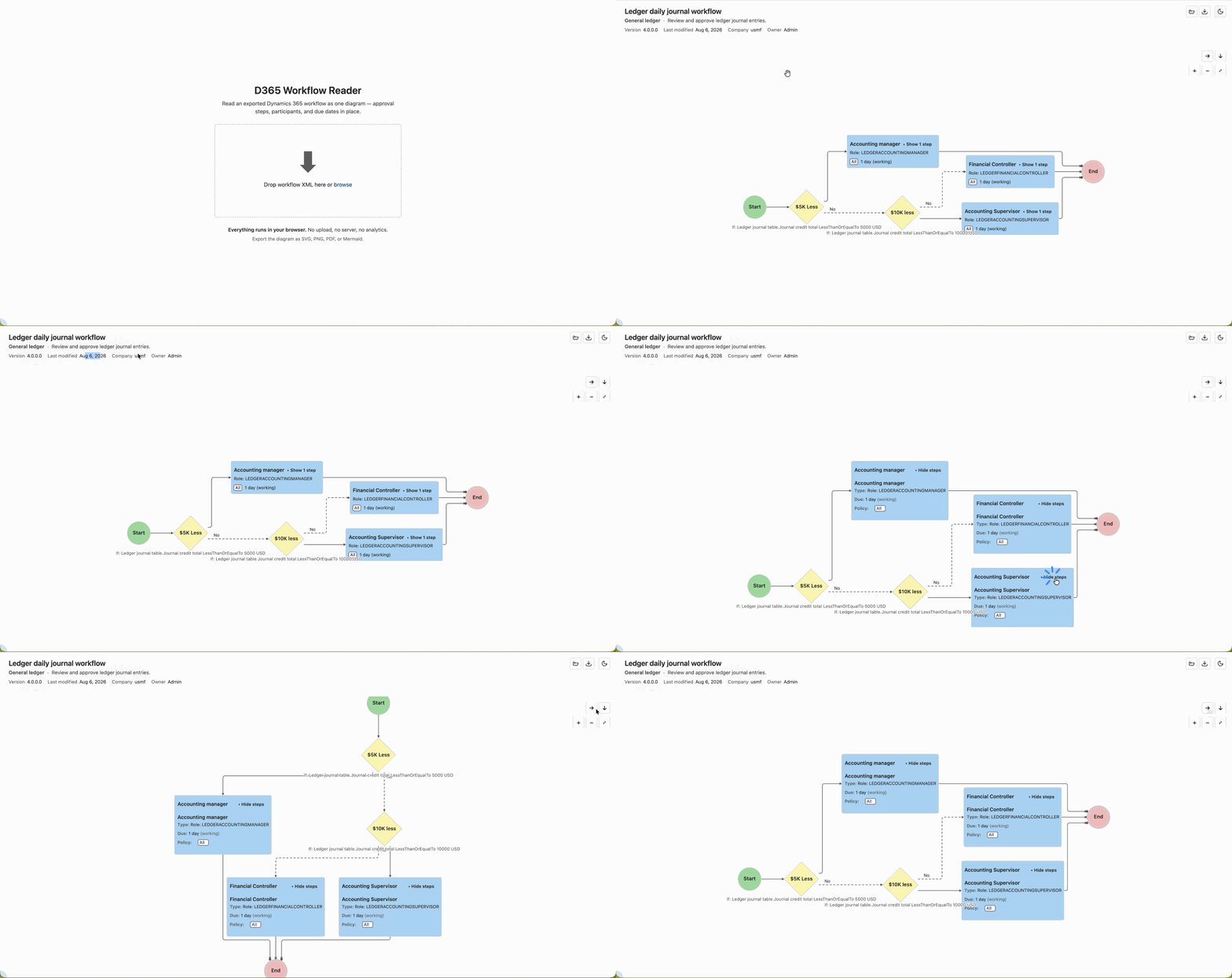
Two things worth knowing. It runs entirely in your browser, so your XML is never uploaded anywhere. And it only reads: it never writes back to D365, which keeps it from ever corrupting a workflow.
How to use
- Export the workflow as XML from the D365 workflow editor.
- Open beta-wf.dyn365.wiki and drop the file on the page.
- Read it, expand the approvals you care about, then export as SVG, PNG, PDF or Mermaid.
Free, no sign-up, no install.
Found a problem?
It is still in beta, so it has only met the workflow exports I could get hold of. Anything it does not recognize is drawn as a yellow unknown node rather than guessed at. If you hit one of those, or a step is missing, or your file will not load, email [email protected] and tell me what the step is in D365. A description is enough, please do not send me a client’s file.